
Calculate and track the calories and macros in your meals
Add nutritional information to your recipes or let the AI estimate it for you. Define your daily goals and check the calories and nutrients of the meals you have planned.




Get nutritional information for your recipes
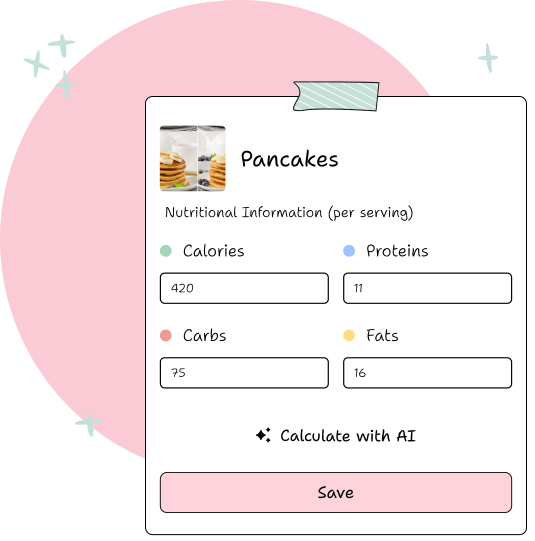
Add calories, carbs, protein, fat, sugar and fiber to your recipes, or let the AI estimate them for you. You can also describe a dish in your own words to get a nutritional estimate.
Define your daily goals
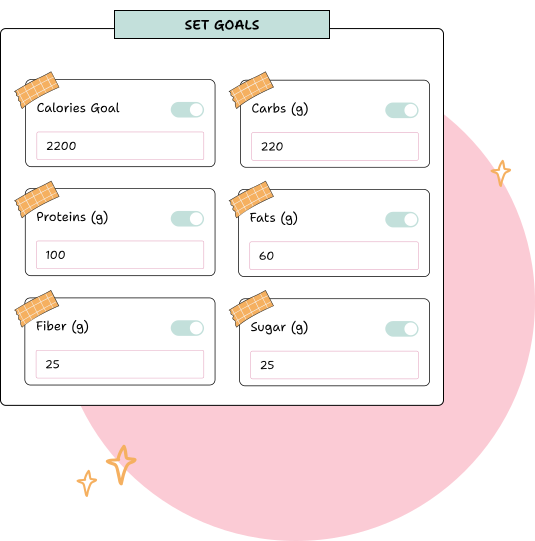
Set a daily goal for calories, carbs, protein and fat, or use our calculator to get a baseline based on your needs and goals.
Check your calories and macros for each day
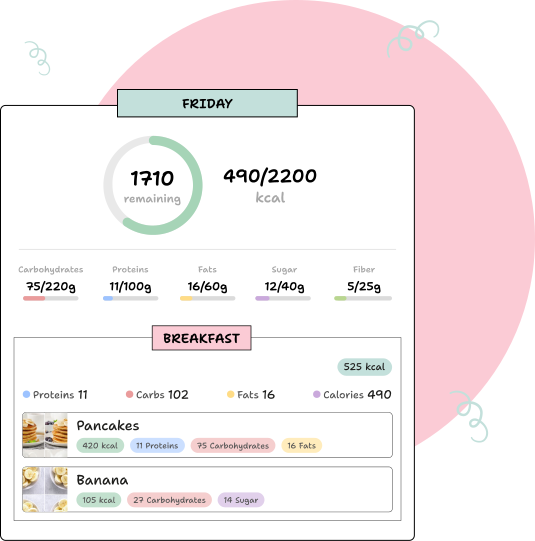
Review the calories and macronutrients in your daily menu and compare them to your goals. See at a glance how much you have and how much you have left to consume.
Frequently asked questions
Is the AI estimate accurate?
It is indicative: part of the ingredients and quantities of the recipe. If you know the exact value of a product, edit it and it will be saved.
Do I need to search for foods in a database?
No. The AI estimates from your recipe; You only write what you cook.
Is it useful for losing weight or gaining muscle?
It is used to plan a menu within a calorie and macro goal. It is not a substitute for the advice of a doctor or dietitian.
Does it calculate my daily calories?
Yes, with the free calorie and macro calculator, without registration.
Can I see the total for the week?
You see the total for each day of the menu and for each recipe per serving.
Ready to know the nutritional information of your recipes and define your goals?
Calculate nutritional information