How to save recipes from Instagram (and TikTok or YouTube) to your recipe collection
You spot a tempting recipe, save it on Instagram or take a screenshot and, weeks later, you can’t remember where it ended up. The practical way to keep it is to turn the video into a recipe with ingredients and steps that you can search, edit and add to your menu.

From Reel to menu in five steps
- 1Open the Reel, tap Share and choose Copy link. If you have YouMealPlan installed, you can also share the link directly to the app.
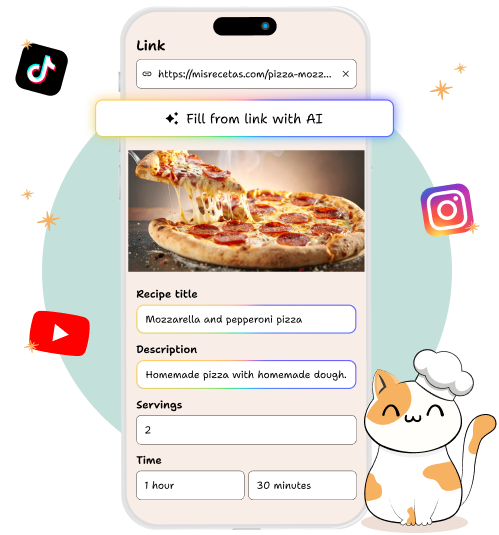
- 2In YouMealPlan, open “New recipe” and paste the link.
- 3Review the ingredients and steps the AI has extracted. Correct quantities, instructions or any detail that doesn’t match the video.
- 4Save the recipe to your recipe collection and add it to any day you like on your weekly menu.
- 5Once you’ve finished your menu, generate your shopping list with the ingredients grouped by store section.
When the video has no written recipe
The AI is more accurate when the caption includes the ingredients, quantities and steps. If the creator only says them out loud or the video leaves something out, review the result and fill in anything missing by hand before saving.
It works with TikTok and YouTube too
The process is the same: copy or share the link, paste it into New recipe, review what the AI extracts and save. You can also use Pinterest links, web pages or a photo of a recipe.
Frequently asked questions
Is the Instagram video saved?
YouMealPlan saves the extracted recipe and the original link. The video remains hosted on Instagram.
Is the extracted recipe always accurate?
No. The AI helps transcribe and organize the information, but you should review the ingredients, quantities and steps before saving.
What should I do if quantities are missing?
Add them by hand when you know them. If the video doesn’t provide them, it’s best not to make them up: leave a note or look for the original source.
Can I also import from TikTok or YouTube?
Yes. Copy or share the link and follow the same steps.
How many recipes can I import?
The download is free and includes a daily quota for AI features. There’s an optional subscription to extend it.